
Top AI tools helping creators save time and grow faster in 2026.
Introduction
Creating content regularly can feel overwhelming. Bloggers, YouTubers, Instagram creators, and freelancers often spend hours researching topics, writing captions, editing videos, designing graphics, and managing social media posts.
This is where AI tools are changing the game.
Modern AI tools help creators work faster, stay organized, and improve content quality without spending endless hours behind a screen. Instead of replacing creativity, these tools support creators by automating repetitive tasks and simplifying workflows.
In this guide, you’ll discover the best AI tools that can save up to 10 hours every week and help digital creators stay productive in 2026.
Why AI Tools Matter for Content Creators
•AI tools help creators:
•Generate content ideas faster
•Write blog outlines
•Create social media captions
•Edit videos quickly
•Design graphics Quickly
•Improve SEO optimization
•Organize daily workflows
The biggest advantage is time savings. Creators can focus more on creativity and audience engagement instead of repetitive manual tasks.
1. ChatGPT – Best AI Tool for Writing & Content Ideas
What is ChatGPT?
OpenAI developed ChatGPT to help All of the users generate text, brainstorm ideas, and automate writing tasks.
Creators use it for:
•Social media captions
•Email drafts
•SEO content ideas
•Blog outlines
•Blog outlines

Chat GPT helps Creator’s Generate idea’s
scripts and Blog Outlines Faster
How ChatGPT Saves Time
Instead of spending Many hours brainstorming ideas, creators can generate:
•Titles
•Introductions
•Content structures
•FAQs
•Captions
within the couple of minutes.
Step-by-Step Guide About uses Of Chat GPt
Step 1
Open: ChatGPT Official Website
Step 2
Type a prompt like: “Give me you tube shorts or 5 Instagram reel ideas for creators.
Step 3
Customize the generated ideas to match your style.
Step 4
Use the content as a starting point for blogs, reels, or YouTube scripts.
Uses of ChatGPT is Best For
•Bloggers
•YouTubers
•Instagram creators
•Freelancers
•Content Creators
2. Canva – Best AI Design Tool
What is Canva?
Canva is a popular design platform that helps creators to build graphics, thumbnails, presentations, and social media posts.
Its AI features now help creators:
•Generate designs
•Remove backgrounds.
•Create social posts instantly
•Generate videos
How Canva Saves Time
Instead of designing from scratch:
•Use templates
•Resize content automatically
•Create thumbnails quickly
•Schedule posts
Step-by-Step Guide use of Canva
Step 1
Visit:
Step 2
Search for: “Instagram Reel Cover” or “YouTube Thumbnail”
Step 3
Choose a template.
Step 4
Use AI Magic Design tools to customize visuals.
Step 5
Download and publish.
Best For
•Instagram posts
•Pinterest pins
•Blog graphics
•YouTube thumbnails
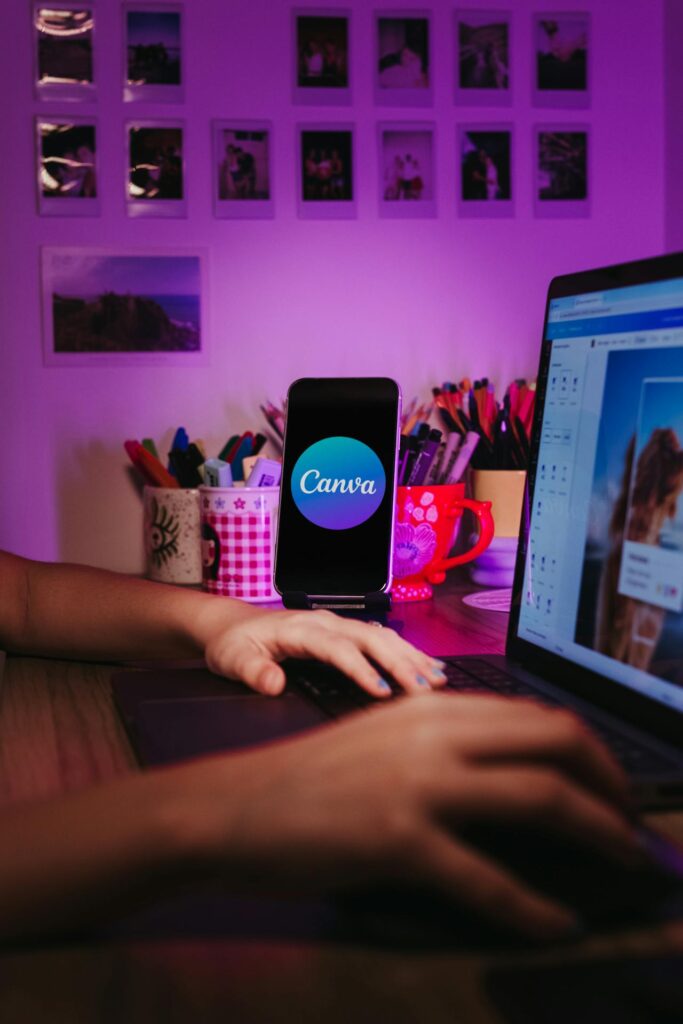
Canva simplifies graphic design for social media creators.
3. Grammarly – Best AI Tool for Grammar & Clarity
What is Grammarly?
Grammarly helps creators improve grammar, readability, and writing quality.

Grammarly improves clarity, readability, and grammar instantly.
How Grammarly Saves Time
Instead of manually proofreading:
•Fix grammar instantly
•Improve readability
•Adjust tone
•Rewrite unclear sentences
Step-by-Step Guide For Grammarly
Step 1
visit:https://www.grammarly.com/
Step 2
Paste your blog or caption.
Step 3
Review AI suggestions.
Step 4
Apply improvements.
Best For
•Blog writers
•Students
•Email creators
•LinkedIn posts
4. Notion AI – Best Productivity Tool
What is Notion AI?
Notion combines note-taking, task management, and AI productivity tools.
Notion AI helps creators organize content workflows efficiently.
How It Saves Time
Creators use it to:
•Plan content calendars
•Organize blog ideas
•Manage workflows
•Track posting schedules
Step-by-Step Guide For Notion AI
Step 1
Visit;https://www.notion.com
Step 2
Create a “Content Planner.”
Step 3
Add:
•Blog idea
•Reel concepts
•YouTube topics
Step 4
Use AI summaries and workflow tools.
5. Cap Cut – Best AI Video Editing Tool
What is Cap Cut?
Cap Cut is widely used for editing reels, shorts, and social media videos.

CapCut speeds up short-form video editing with AI features.
Features That Save Time
•Auto captions
•AI effects
•One-click transitions
•Templates for reels
Step-by-Step Guide
Step 1
Install:https://www.capcut.com
Step 2
Upload your short video.
Step 3
Use:
•Auto captions
•AI effects
•Trending templates
Step 4
Export directly for Instagram or YouTube Shorts.
Best For
•Reels
•Shorts
•TikTok-style editing
•Quick tutorials
How to Build a Smart AI Workflow
Here’s a simple creator workflow:
Step 1 – Research
Use:
•ChatGPT
•Google Trends
Step 2 – Write
Use:
•ChatGPT
•Grammarly
Step 3 – Design
Use:
•Canva
Step 4 – Edit Video
Use:
•CapCut
Step 5 – Organize
Use:
•Notion AI
This workflow can save multiple hours every week while improving consistency.
Better Tips for Using AI Tools Effectively
Don’t Depend Entirely on AI
Always add:
•personal insights
•creativity
•unique opinions
Use AI as an Assistant
AI works best when supporting your workflow, not replacing your voice.
Stay Consistent
Consistency matters more than perfection in content creation.
Final Thoughts
AI tools are transforming the creator economy in 2026. Bloggers, YouTubers, freelancers, and digital creators are using smart workflows to save time and stay More productive.
The best strategy is to start simple.and stay consistent
Choose one or two tools first, learn how they fit into your workflow, and gradually build a system that works for your content style.
The creators who succeed are not always the fastest or most talented — they are often the most consistent and organized.
If used wisely, AI tools can help creators focus more on creativity and less on repetitive tasks.
Read the full blog below 👇